
Hello everyone, today I'm sharing a custom-made Magnetic Levitation / 3D-Printed / F-16 (SD ver.) model.
In this article, I'll share my hands-on experience with the magnetic levitation module, the creation process, and my thoughts on using the multi-color 3D printers that have become increasingly affordable in recent years.
First, let's get right to the pictures:
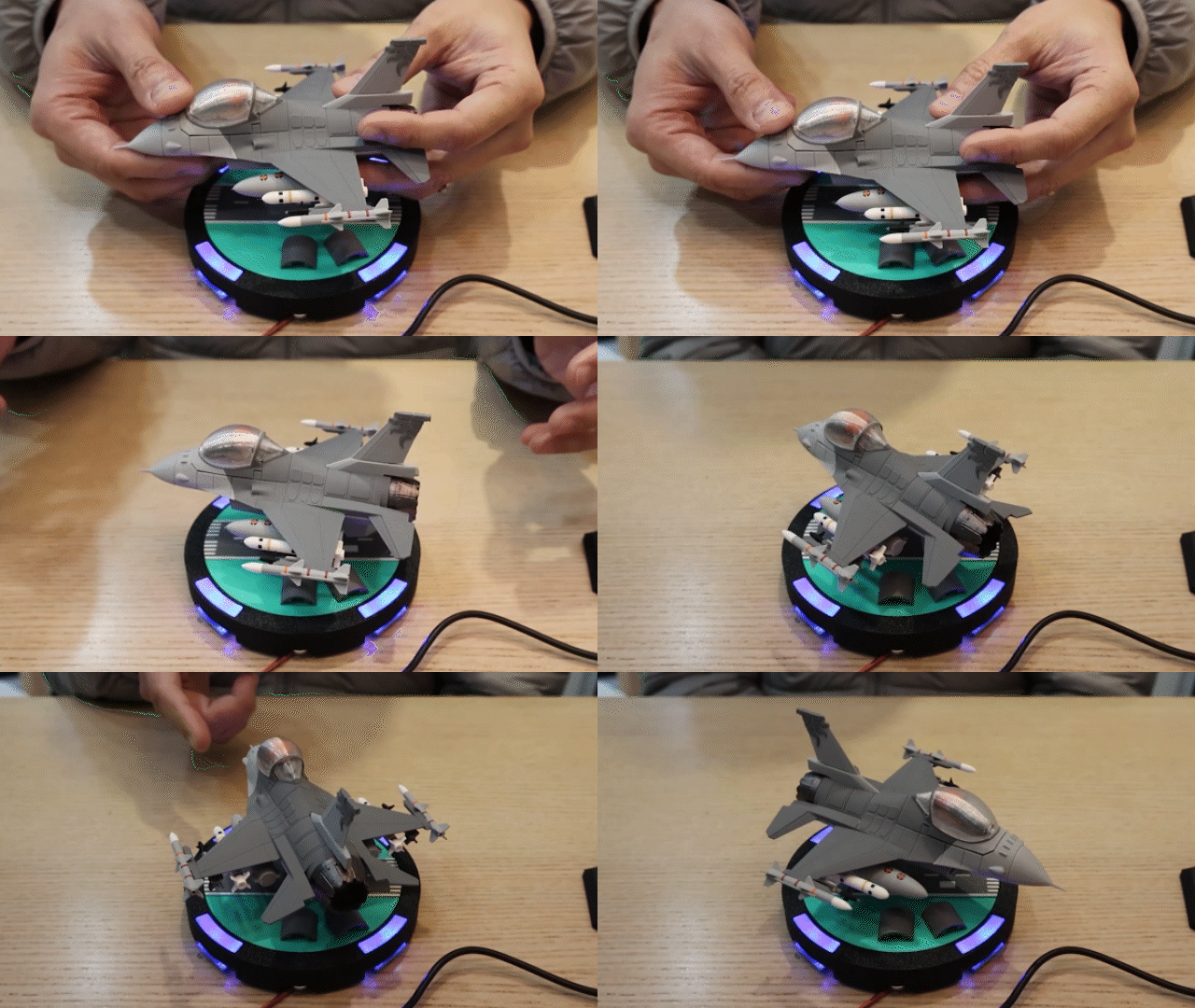


[Magnetic Levitation Module]
I've always wanted to play with a magnetic levitation module to make my custom vehicle models float. I recently upgraded to a multi-color 3D printer, and since maglev modules are no longer as expensive as they used to be, I decided to give it a try.
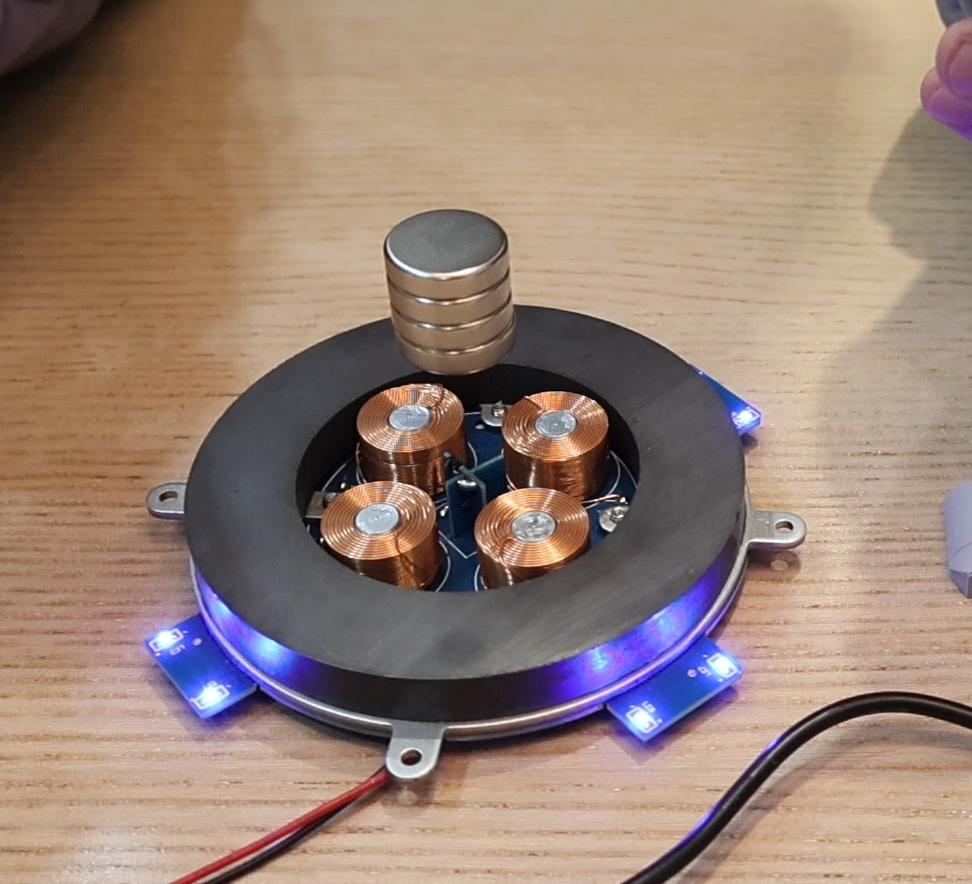
The image above shows a bare-bones version of the maglev module, already soldered and fine-tuned. There are also versions sold as kits that require you to do the soldering and tuning yourself. (For first-time users, I strongly recommend buying one that's pre-soldered and adjusted.)
Let me briefly explain the principle:
A magnetic levitation device works by balancing the attractive and repulsive forces of magnets to make the central magnetic core float.
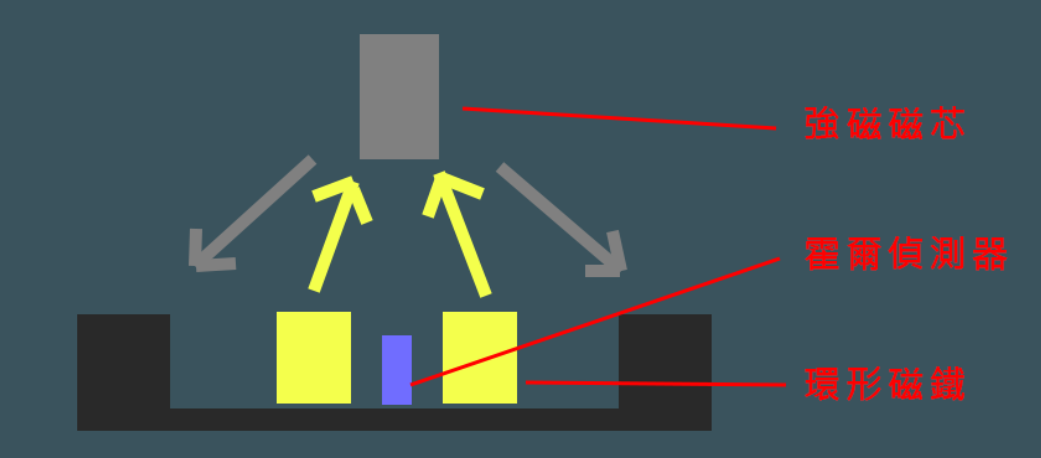
Anyone who has handled magnets knows that if you pinch two repelling magnetic poles together vertically, the moment you let go, the top magnet can be pushed away if the force is strong enough. However, if you just stack them, the top magnet will quickly fall due to uneven horizontal gravitational forces.
The most crucial part of the magnetic levitation module is the four electromagnetic coils in the middle, whose magnetic strength can be adjusted with electricity, and the Hall effect sensor in the center that detects the position of the magnetic core. Together, they balance this horizontal pull.
Through the Hall effect sensor's detection, the system knows which direction the central magnetic core is drifting. If it shifts to the right, the right electromagnet's force is increased to push it back in the opposite direction; if it shifts left, the left one pushes it back. This allows the powerful magnetic core to constantly make micro-adjustments to its position, keeping it centered.
Therefore, using this device for a magnetic levitation model comes with a few limitations:
1. Due to the strength of the magnetic force, the levitation height is limited (around 5cm).
2. The weight capacity is limited (the one above supports about 500g; larger versions can handle up to 1kg).
3. If you use the magnetic core as a platform and place the model on top, you need to be careful that the center of gravity isn't too high, or it will tip over. If you plan to enclose the magnetic core within the model, you must leave enough space for it (a 20mm diameter x 20mm high cylinder).
Considering these limitations, I ultimately chose a "fat and short" version of the F-16: this ensures the fuselage has enough space to hide the magnetic core, and the overall model isn't too large.
[Modeling]
With a clear direction, the next step was to model the aircraft. The F-16's streamlined aerodynamic design remains a classic, even today, nearly half a century after its creation.
To preserve its streamlined feel as much as possible, I started by modeling a standard-proportion F-16.
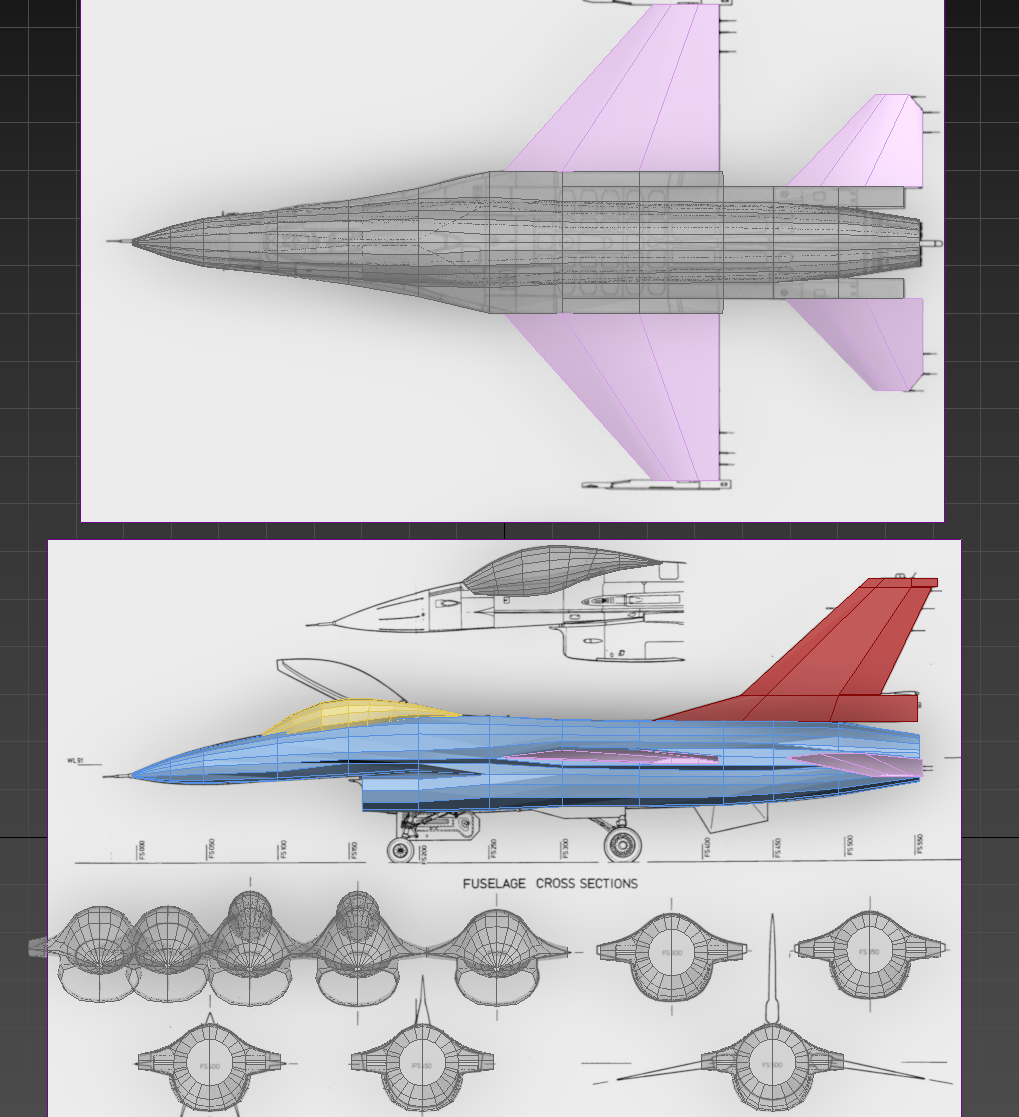
Slowly adjusting according to the blueprints, I found that capturing the aircraft's streamlined shape was surprisingly difficult.
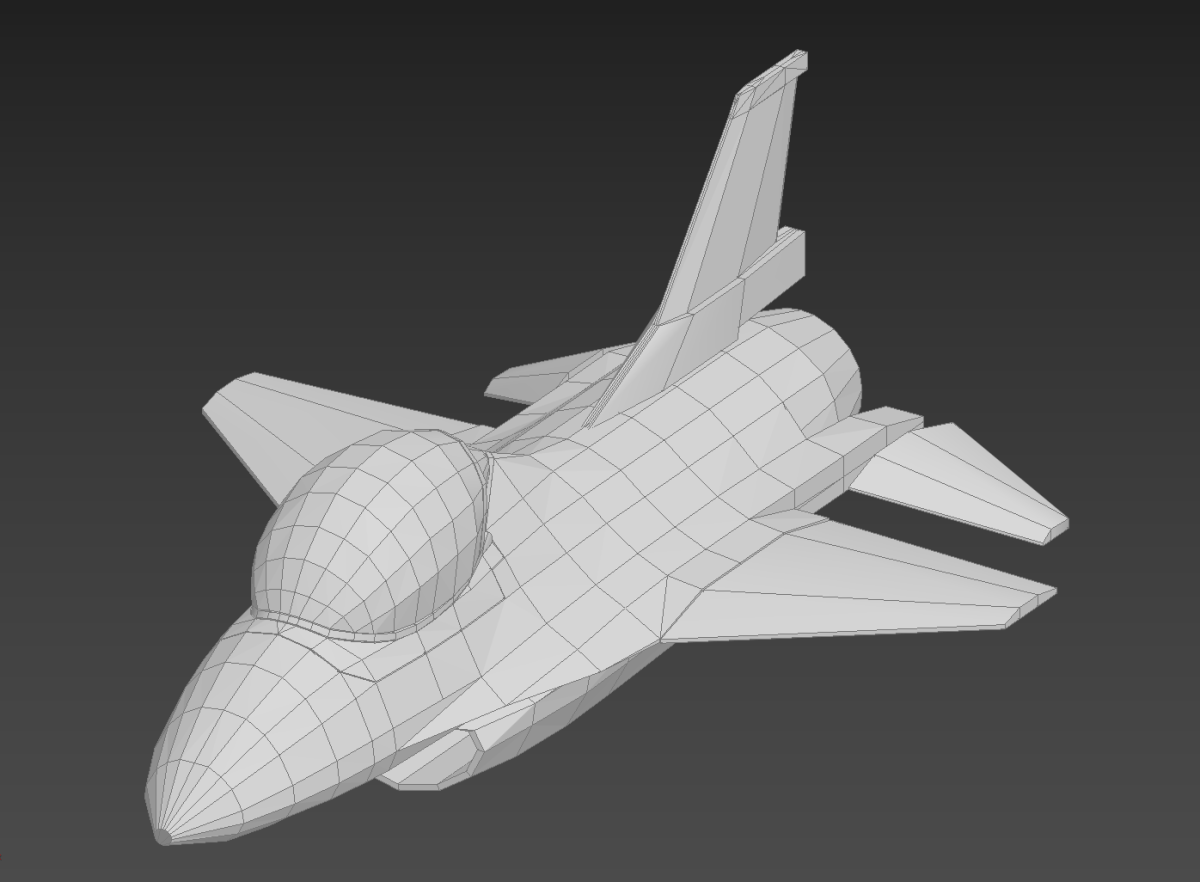
I began to shorten it, managing to sculpt a fat, short version with peculiar proportions.
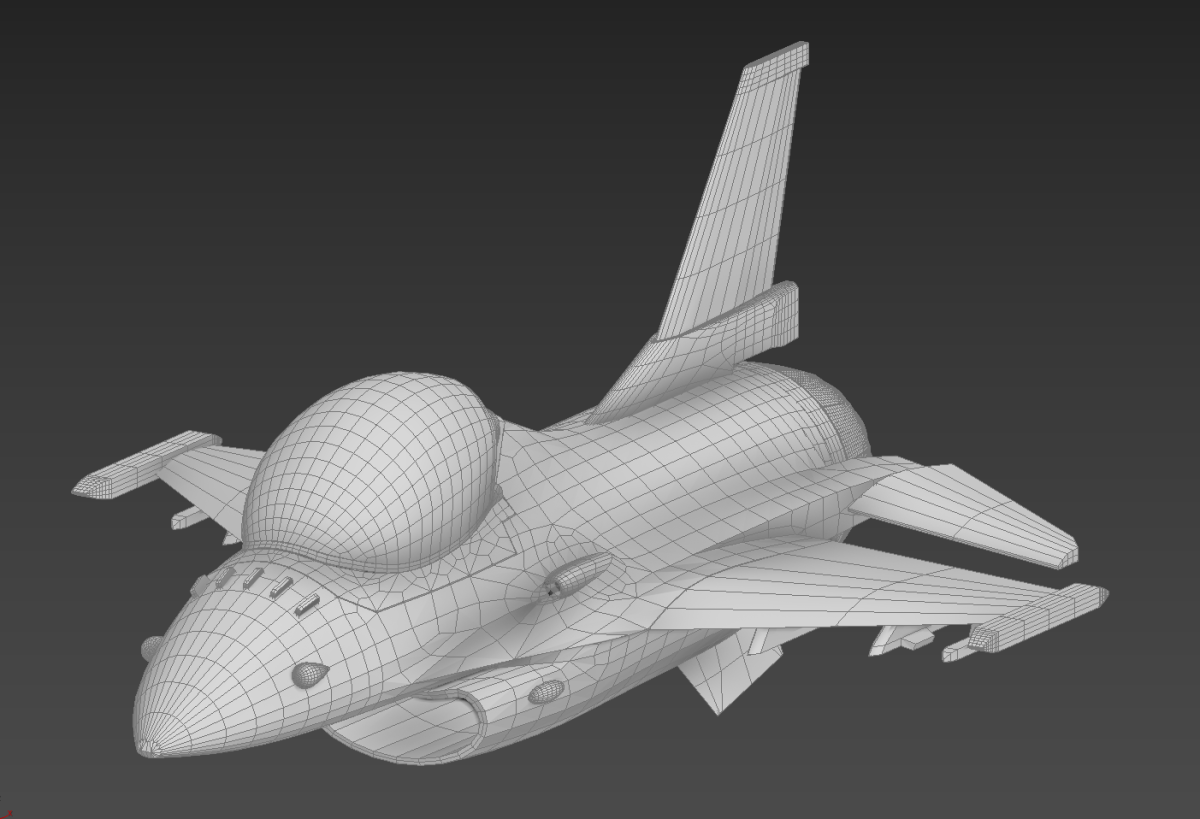
After repeated modifications and adjustments, emphasizing the head (cockpit) and shortening the limbs (wings), a more ideal shape slowly emerged.
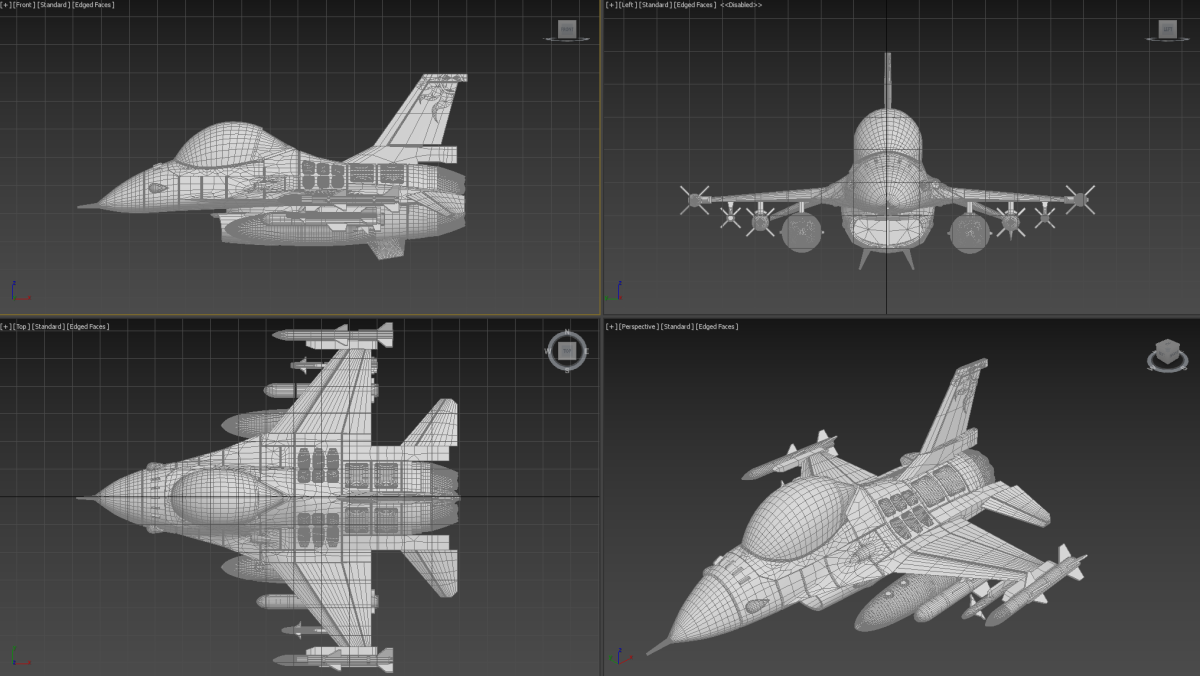
Here is the final three-view drawing, with the sun god livery on the tail added, a feature characteristic of Taiwan's F-16s.
[Multi-Color 3D Printing]
I wanted the final product to be as easy to print as possible. Therefore, I planned to have the 3D printer handle details that would traditionally require post-processing on models, such as patterns, panel lines, and coloring. I didn't expect it to surpass traditional methods, but I hoped for a reasonably good visual effect.
So, once the project reached a certain stage (when it was time to work on the line details), I first test-printed some small components to see what color-separated printing was truly capable of:
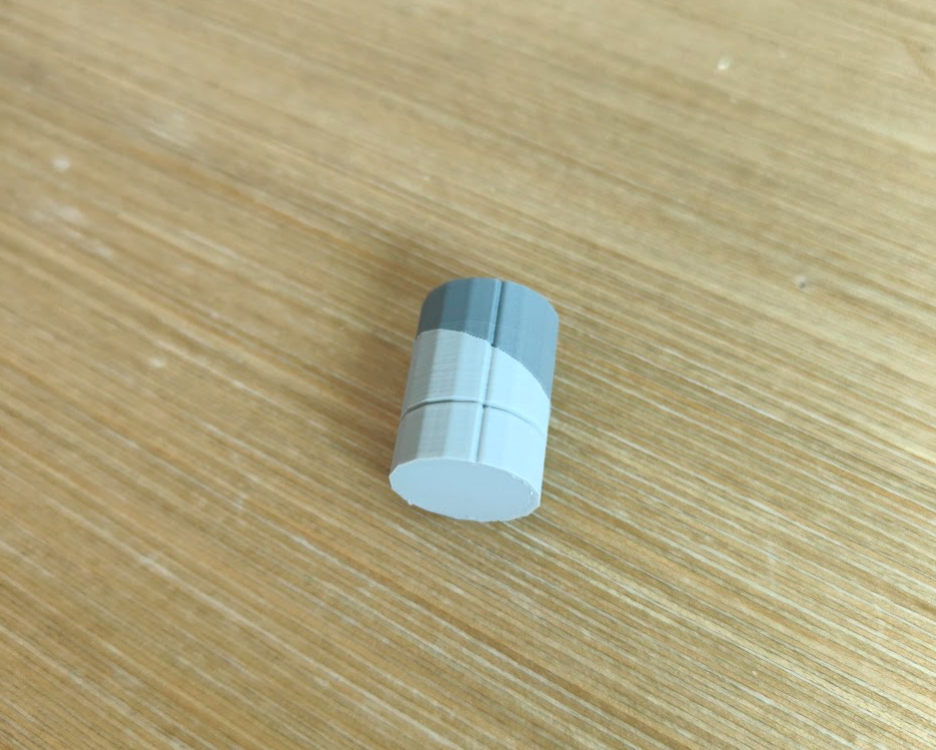
Color separation test: As you can see, the two colors are fused perfectly, and both vertical and horizontal engraved lines are clearly visible.
The F-16 has a distinct light and dark camouflage pattern on its body. Without coloring, an older single-color printer would require printing the parts separately and then assembling them after processing. This would inevitably leave traces of assembly, failing to achieve the ideal result seen in the image above.
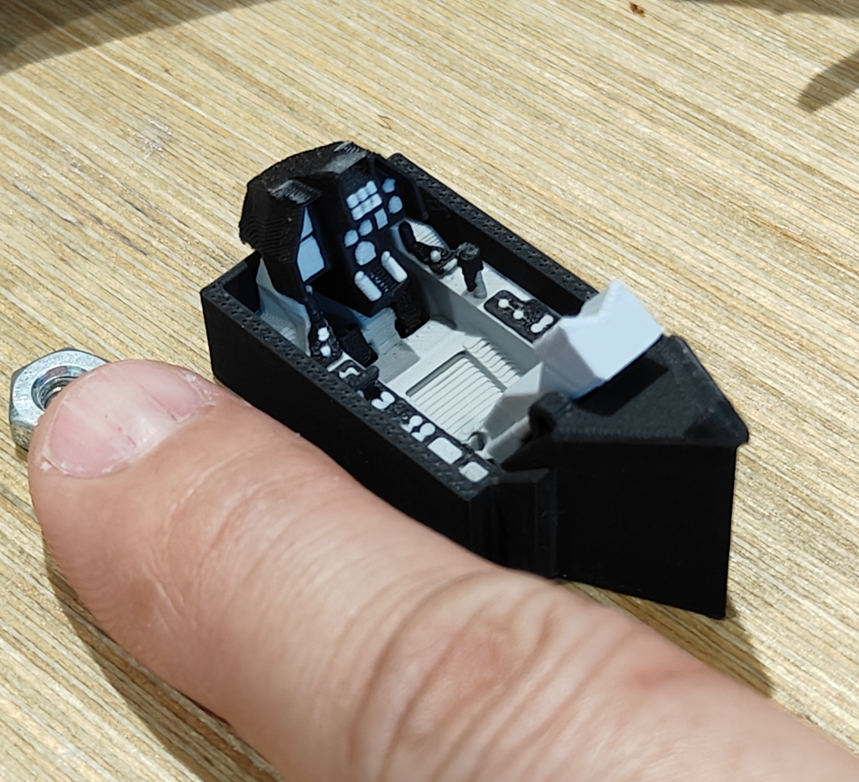
Detail test: Traditional methods would require hand-painting or decals to achieve this, but multi-color printing can produce a similar result.
At this point, I could begin printing. Multi-color printing took longer than expected (reasons to follow). Here is the complete printing and assembly video:
[Summary and Final Thoughts]
The magnetic levitation module is a lot of fun. Even if you don't plan on making a custom model, there are versions with platforms that let you display figures directly. For fathers with young children, it's also an educational tool. However, they are currently most commonly found on Taobao, which can make purchasing them relatively inconvenient.
Also, be aware that the strong magnets have a very (very) powerful attraction. On your first try, it's easy to accidentally let the magnets slam into each other with incredible force. Please handle with care to avoid damage or injury.
Currently, the biggest drawback of single-nozzle multi-color printing, in my opinion, is the waste of filament and the exponential increase in time required. FDM printers build objects by stacking layers of filament. To allow a single nozzle to print different colors on the same layer, it needs to purge the previous color's filament left in the nozzle when switching materials. This prevents the last color from mixing with the next one (much like washing your brush when changing colors in watercolor painting).
This action occurs on every layer that requires a color change. As a result, a model that might take 10 minutes to print in a single color could take an hour or even longer in multi-color. A model needing 10g of filament for a single color might require 50g or more for multi-color.
However, despite its current shortcomings, the multi-color feature is a powerful advancement for DIY Makers. It significantly reduces the need for complex part separation in the design phase and manual post-processing, representing a very strong leap forward.
[Conclusion]
As I write this article, multi-nozzle machines are about to be released. For someone who has been using these machines since the early single-color days, the convenience brought by this ever-improving technology is deeply felt.
I look forward to a near future where everyone can turn their digital 3D creations into reality with simple operations, just like using a paper printer.