
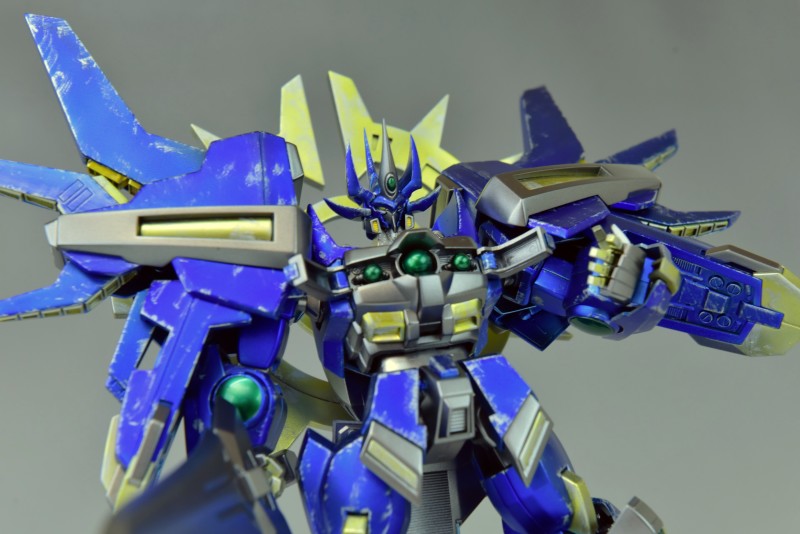


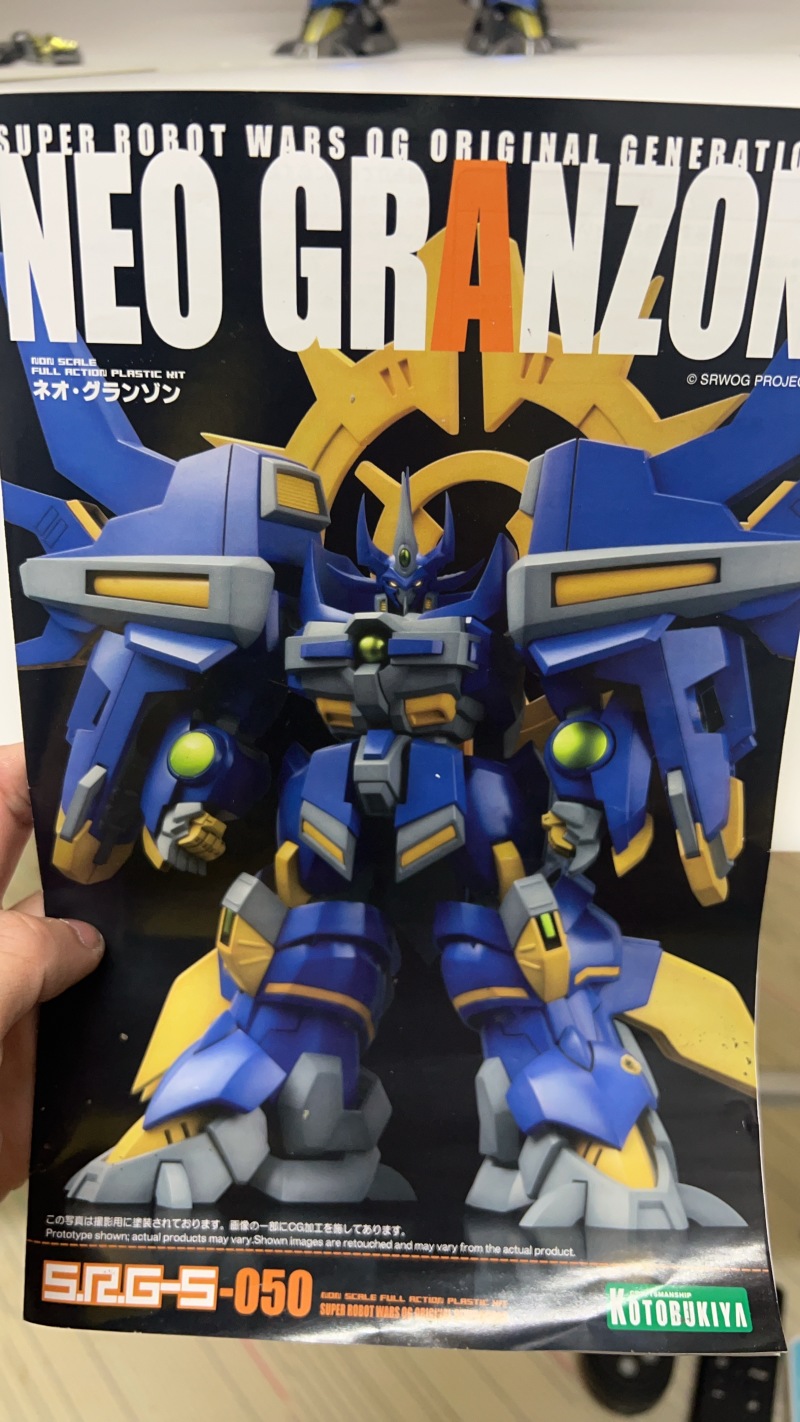
Do you all remember the ultimate boss-level unit in Super Robot Wars, equipped with an overpowered Distortion Field that can even challenge the final boss one-on-one? This unit is designed with the ability to instantly destroy the universe, boasting super thick armor, incredibly high HP, endless Spirit and EN, and most importantly, the combination of "Hot Blood" and "Critical Hit" can send even the final boss packing, if not dead, then severely crippled! The project I'm sharing today is precisely this unit, the blue arch-demon from Super Robot Wars, "Neo Granzon."
This unit, produced by Kotobukiya, was purchased a long time ago and only recently rediscovered during a warehouse cleanup, prompting me to finally build it. This time, the build references the methods of senior builder "Brother Shui" for a major overhaul, transforming the originally short and stout Neo Granzon into a tall and handsome machine.
It's been nine years since my last major customization project. I still remember that model, also a Kotobukiya product: the non-scale Daizengar, piloted by the "old man" in Super Robot Wars. Back then, converting it into a super-posable model also took me a considerable amount of time.
For detailed build process, please refer to this article: 【Project Showcase】My Slash is Unstoppable! Bushin Soukou Descends! (Daizengar Non-Professional Build Full Record)
Before sharing this project, here are three shots of Daizengar-san XD
Even after nine years, this unit still looks as cool as ever~~


▼If you prefer watching videos, you can click on the video below:
【KOTOBUKIYA】4K Neo Granzon: The Planet-Destroying Unit - Neo Granzon Customization, Height Increase, and Transformation into a Cooler Look Full Record
Possessing World-Shattering Power! Kotobukiya Neo Granzon Custom Build Full Record
▼Building Kotobukiya models always involves endless seam lines and shrinkage to deal with, truly testing a builder's patience.

▼This part's indentation feels a bit empty, so I need to add something.

▼Since my own skills aren't sufficient for scratch-building, it's fortunate that model building is so convenient now with various aftermarket detail-up parts available. This time, I'm using detail-up parts produced by Bandai to add extra details.


▼After selecting and cutting out the desired shapes, assembly is complete. The parts will be painted separately and then glued on with plastic cement after completion.


▼For this build, some areas that would typically receive seamless treatment have been converted into "pseudo-panel lines" (or "fake armor separation").
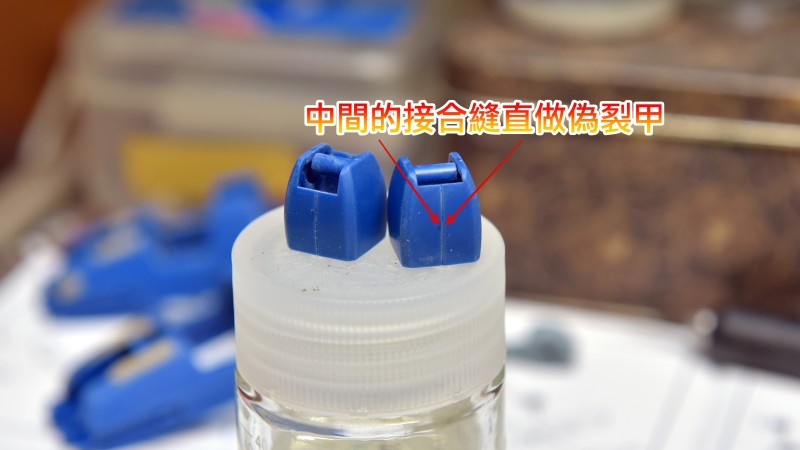
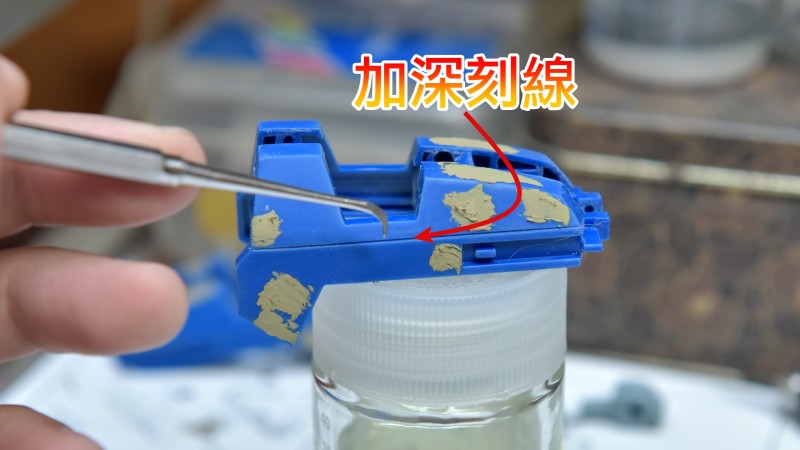
▼The paint I'm using this time might be a bit thick, and it's my first time working with this type of paint, so I'm using a scribing tool to deepen the panel lines.
▼The seams on the hands are also treated as pseudo-panel lines.
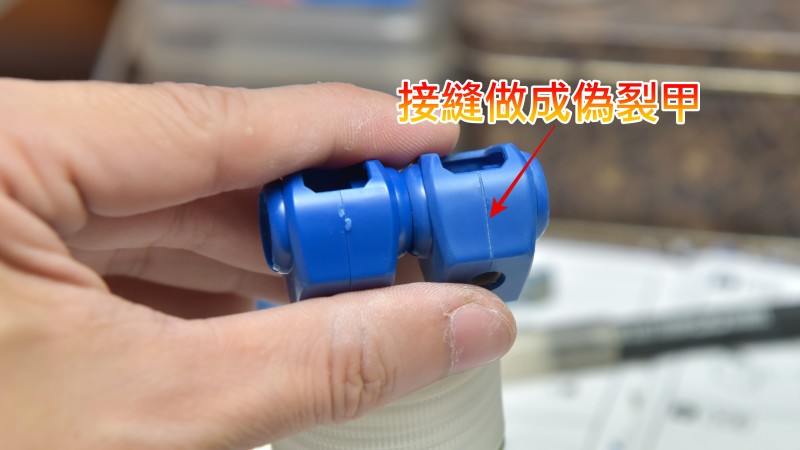
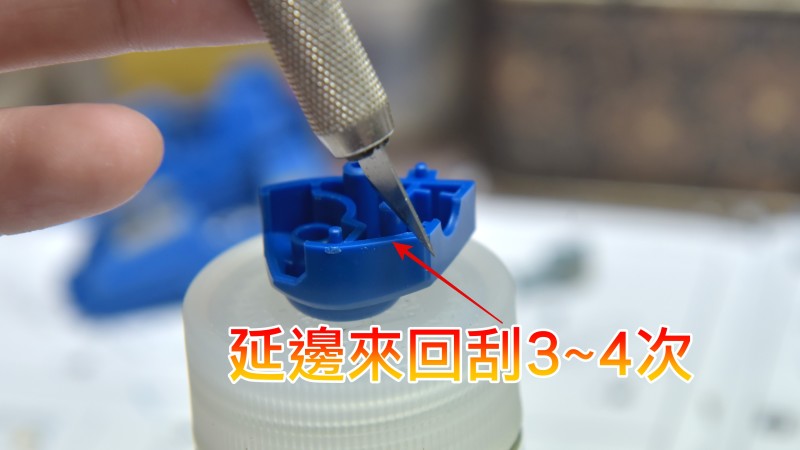
▼The method is very simple, and there are many tools available. I use a hobby knife because it's easily accessible.

▼Simply scrape back and forth 3-4 times along the seam between the two parts, and it's done (for detailed operation, please refer to the video tutorial).
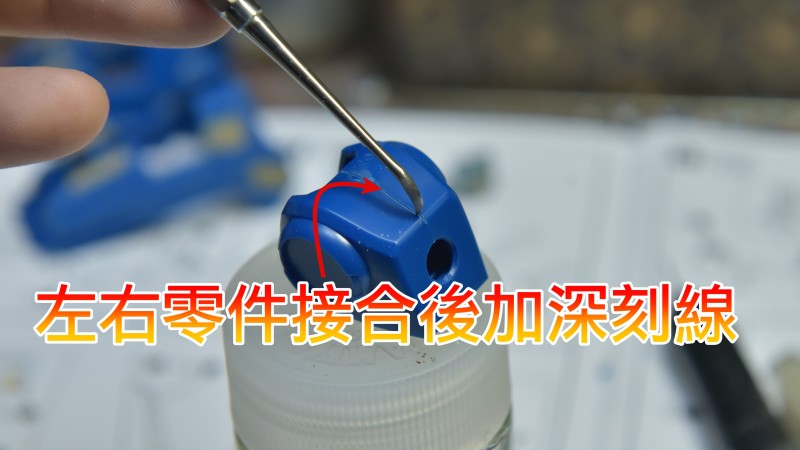
▼Finally, after assembling the two parts, use a scribing tool to deepen the groove. A word of caution here: do not scribe too deeply, or you might hit the base material of the two parts, which would lead to a disaster!!
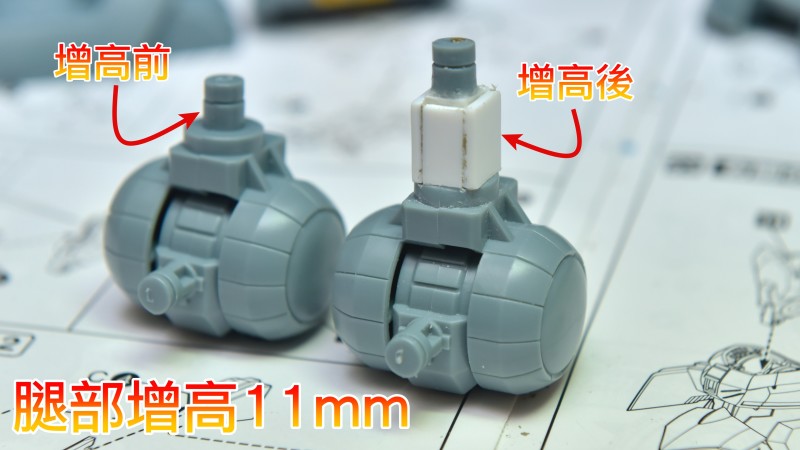
▼Foot height extension: The right side has been extended, while the left side has not. The foot is extended by approximately 11mm to 12mm.
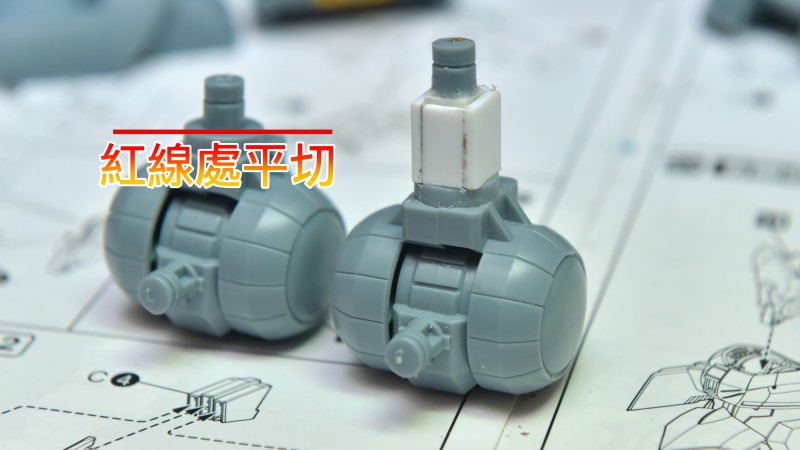
▼Use an etching saw to cut the entire pin flush. It is recommended to use an etching saw with a thickness of 0.1mm for cutting.
▼Using square plastic rods for height extension:
1. Cut the required length, then use 401 glue to directly position and adhere it to the part.
2. After drying, drill a hole directly in the center and insert a 2mm copper rod.
3. Finally, connect the cut-off pin with the copper rod.

▼After the foot modification, it will look like the image. Since the modification rod was relatively small, I added plastic plates to all four sides for a more aesthetic finish (even though it won't be visible after assembly).

▼After the modification is complete and combined with the thigh, the modified areas are essentially invisible as they are covered by the thigh.

▼I recommend an excellent cutting tool manufactured in MIT. This tool is incredibly useful for plastic sheets or modification rods, providing a clean and precise cut in one go. It also comes with an interchangeable angled blade holder, which is very convenient for those who frequently use plastic sheets for modifications.

▼Next is the thigh modification. The thigh will be extended using the same method as the foot.

▼Directly cut off the thigh's pin.

▼After cutting, you can clearly see that the part itself already has the hole position prepared, so there's no need to drill. Remember to glue the two left and right pieces of the cut-off pin together securely.

▼Again, take out the modification rod, measure the desired length for extension, and cut it.

▼After cutting, center it directly and then use a 2mm copper rod to drill through.
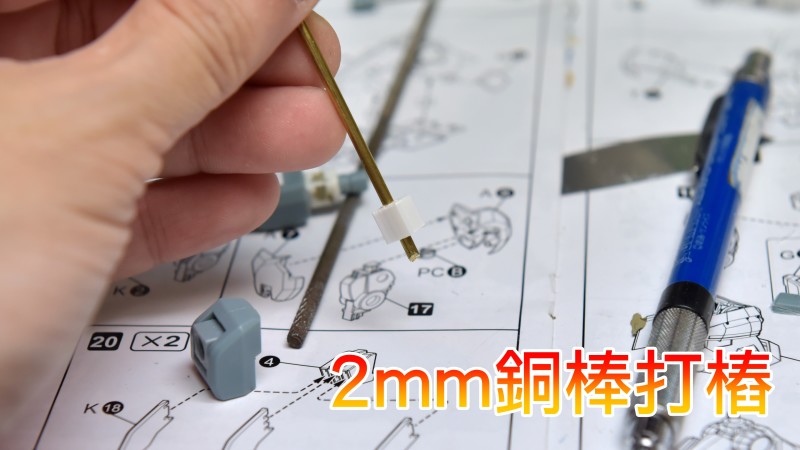
▼The thigh's hole is also exactly 2mm, so simply insert the copper rod all the way through and glue it securely. Here, I recommend using 401 glue; this bottle is quite good. Just a tiny bit is enough to make the copper rod and the part extremely firm, preventing any issues with the rod coming loose. Even with just a small amount, the bond is very strong.
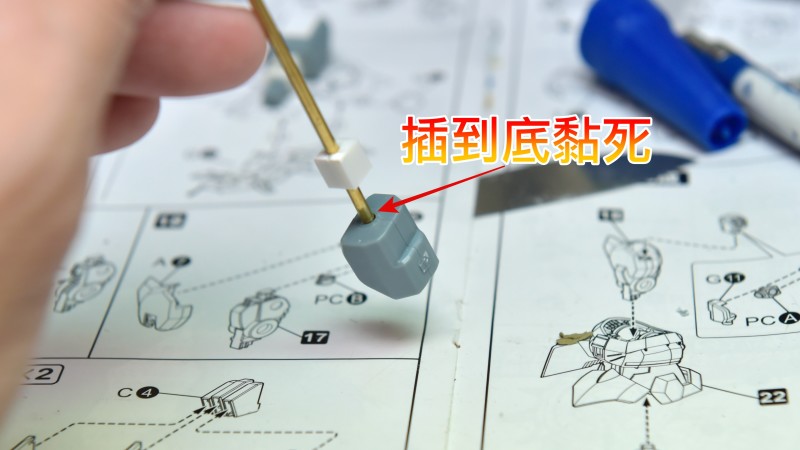
▼After the first stage of thigh modification, it will look approximately like the image. The thigh has been extended by 6mm, plus the foot's 11mm, for a total height increase of 17mm.
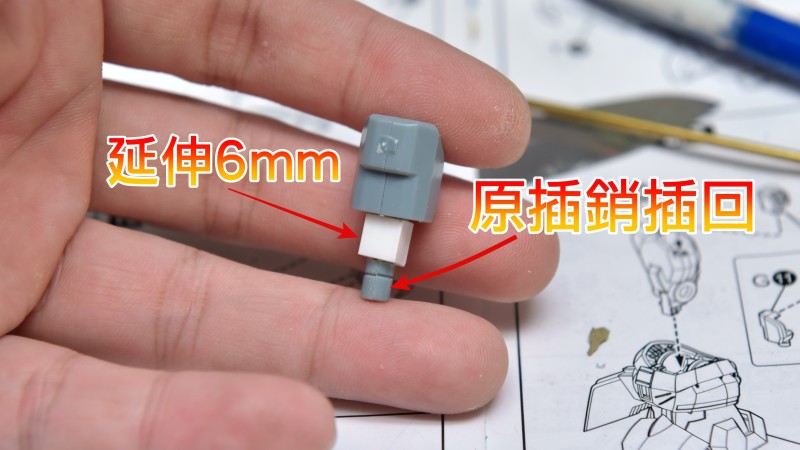
▼Starting the second stage, when you try to insert the thigh part into the thigh, you'll find it won't go in completely or reach the bottom.

▼The main reason is part interference.

▼The area marked by the red line in the image is the interference point that needs to be addressed.

▼Directly cut off the interfering part and then fill the recess.

▼To speed up the process, UV-curable clay was used for filling.

▼After filling the recess with clay, level it out.

▼Illuminate with a UV lamp. Typically, for such small areas, about one minute of exposure is enough for complete curing, and it becomes very easy to sand. Simply put, the curing time for complete hardening depends on the volume of the clay itself.

▼The bottle in the image is the "401" I mentioned. This bottle is incredibly useful; I use it for almost all model repairs, and its adhesive strength is excellent. It's no exaggeration to say it can even fix shoes that have "smiled" (opened up)! XD I've used it to bond metal, copper rods, plastic, ABS, PC, and shoe soles.

▼Finally, cut a piece of plastic sheet, glue it on, and it's done.

▼Completed. Here's an additional tip: to avoid uneven leg length, try to cut the pin flush with the bottom. If you're using modification rods like me, after cutting, it's advisable to measure if the left and right lengths are identical to prevent uneven leg length.

▼It can now be fully inserted.

▼Side interference completely resolved.

▼Finished.

▼The connection points of both hands had such severe plastic shrinkage (sink marks), so I took the opportunity to fill them. UV-curable clay made quick work of it.

▼Next, we'll modify the overly short waist. An excessively short waist is one of the reasons that visually makes the New Granzon appear short and stout.

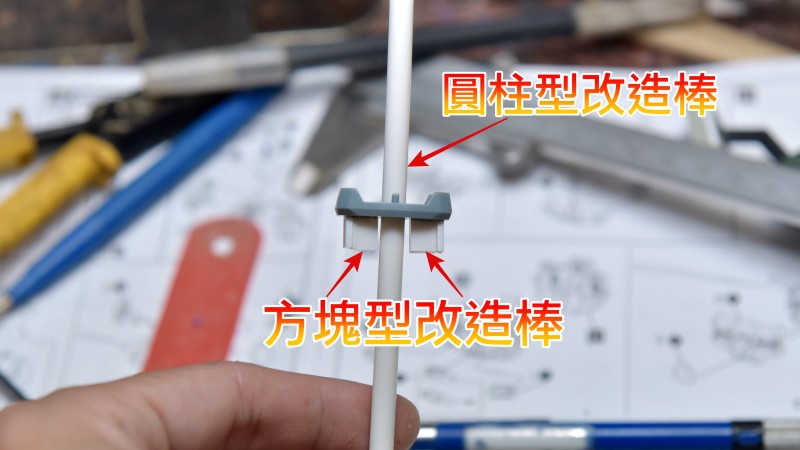
▼The method for increasing the waist height directly follows Brother Shui's tutorial. 6mm plastic plates are attached to both sides to serve as the frame.
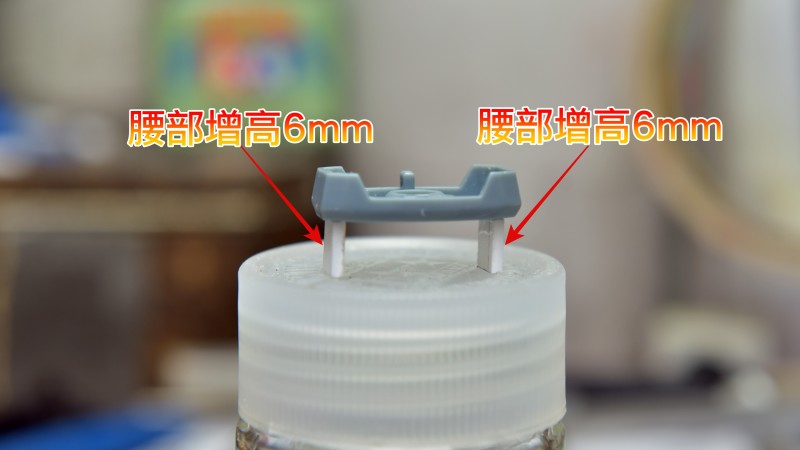
▼After attaching the plastic plates, two 6mm square modification rods are attached to the inner side of the plastic plates.
▼Then, plastic plates are attached to the front and back as a base for shaping.
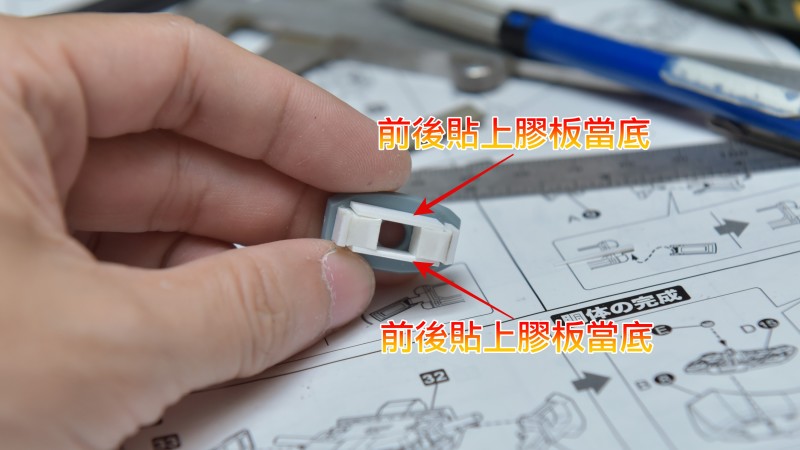
▼Once completed, only the waist shaping remains.

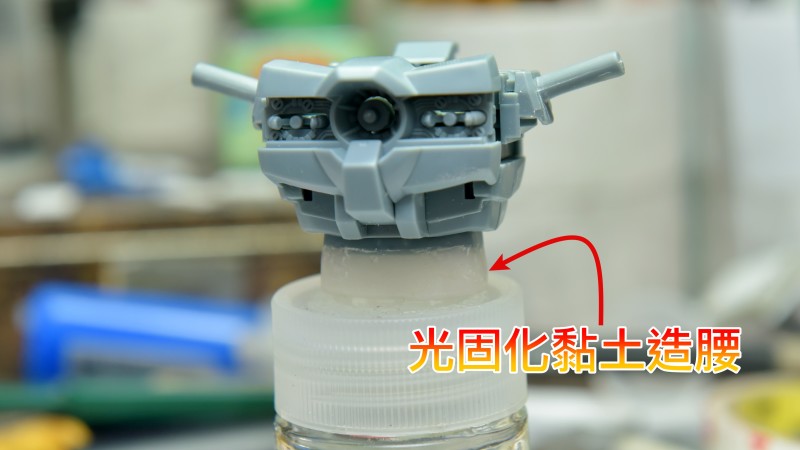
▼The waist is directly sculpted using UV-curable clay. Before being exposed to UV light, the UV-curable clay is very soft and pliable, allowing you to press it into your desired shape. Once the basic shape is formed, use a UV lamp to fully cure it. After curing, perform the final touch-ups.
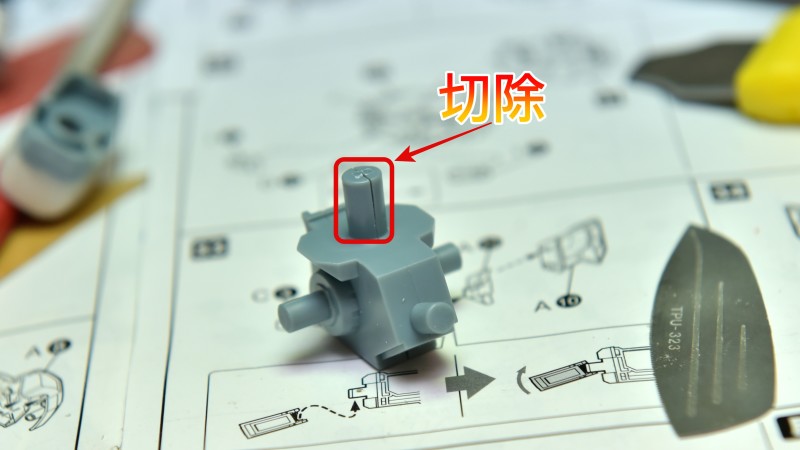
▼Since the waist has been thickened and lengthened, the pelvic pin will be too short to fully insert, so the pin must be extended. Simply cut off the original pin; there's no need to preserve it.
▼Then, insert a 5mm modification rod. Before inserting, apply 401 adhesive directly, then insert it. 401 is very strong; once inserted, the pin will generally not come loose even with repeated insertion and removal.
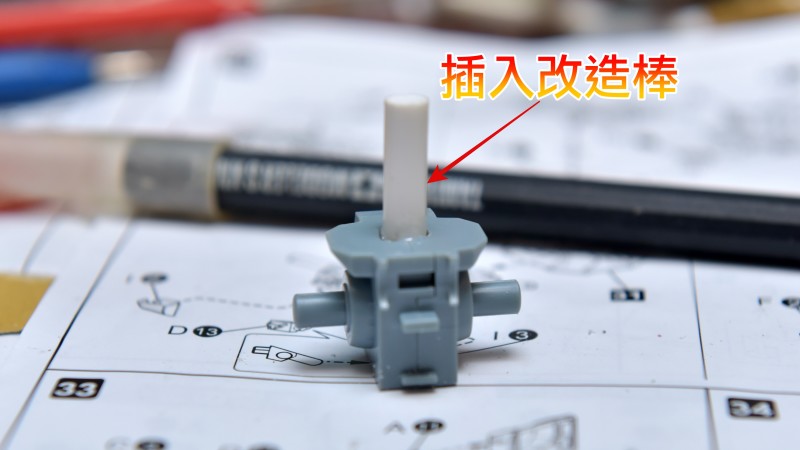
▼Completed.

▼Next, we'll modify the neck. I used a method that doesn't alter the original kit parts.

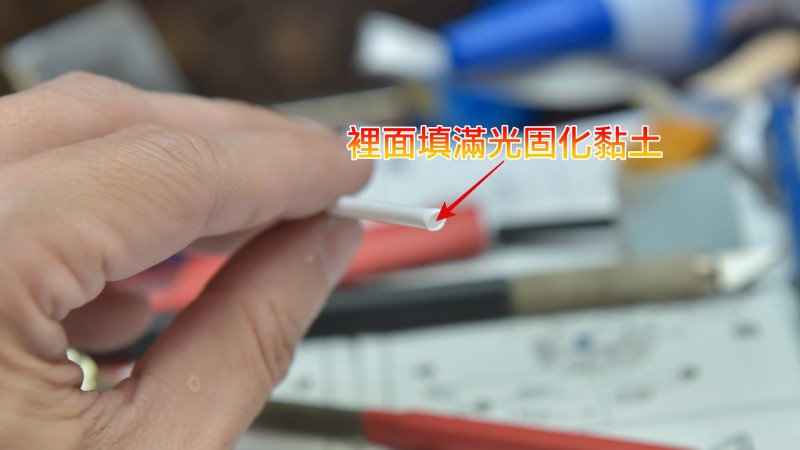
▼Directly take a hollow modification rod and fill it with UV-curable clay. After filling, expose it to UV light to cure the clay. Finally, drill a hole and use 401 adhesive to attach it to the original kit. I didn't have a solid modification rod on hand; if I did, I wouldn't need to do this and could just drill a hole in a solid rod and attach it.
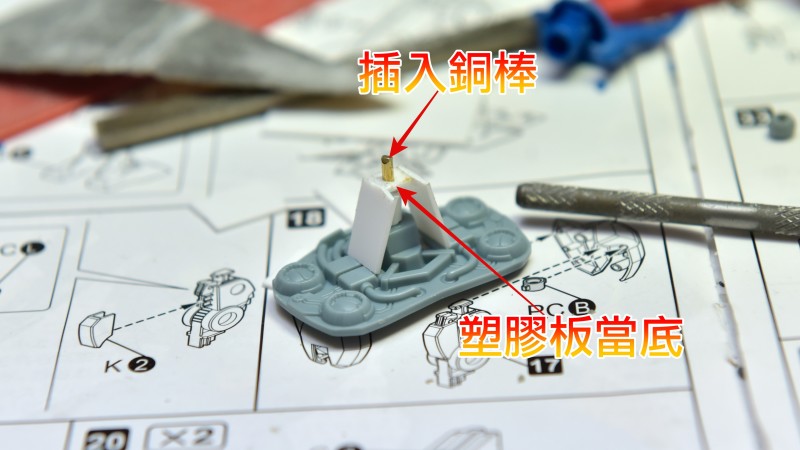
▼Finally, attach plastic plates to the left, right, and back sides to form the neck's frame. Remember to attach a plastic plate to the modification rod as the base for the ball joint, and finally, insert a copper rod into the center (no need to penetrate through).
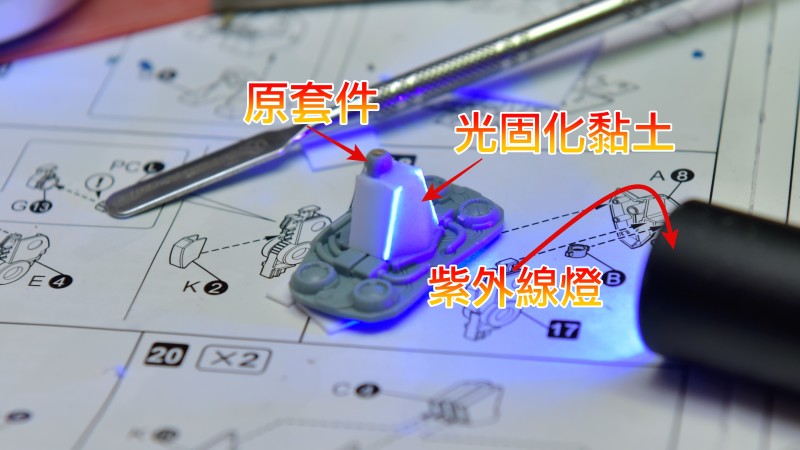
▼Finally, use UV-curable clay to sculpt the neck. The original kit's ball joint can simply be glued on directly; since there's a plastic plate as a base, there's no need to worry about it collapsing.
▼After completion, there might be some gaps around the neck.

▼Simply add spring tubes, and the gaps will be gone.

▼After the modifications are complete, it's time for painting. This time, the entire model is primed with GAIA black surfacer.

▼Sanding the ENTIRE model... It's exhausting... Kotobukiya always has to do this...

▼I basically got lazy with the compass on the back because it was the final stage, so I didn't want to do seam filling... I just filled the sink marks and went straight to priming.

▼This time, I used Cat's multi-purpose interface paint for coloring. This was my first time working with this product. At first, I found... how could a 0.3mm nozzle not spray it out? XD Although it says 'no dilution needed,' I still diluted it before use.

▼I have to say, it's incredibly shiny!!!!!!
The two images below show the model after spraying black surfacer and then Cat's multi-purpose interface paint... It's super shiny!!
In principle, only two coats were sprayed. It's said not to spray too wet or too many layers; about one to two layers should achieve the desired effect. For first-time users, it's recommended to practice on a scrap runner before actual spraying. Oh, and a very important tip: use a large-caliber airbrush... I speak from experience QQ


▼Part masking. For parts that require painting first, then masking, and then painting again, it's really annoying; I personally don't enjoy dealing with it XD
For this type of masking, it's recommended to deepen the grooves first, then apply large masking tape (after the paint has dried).

▼Next, prepare a toothpick, bamboo skewer, or any pointed object that won't damage the model's surface. Gently press the masking tape into the groove by circling around the vicinity of the groove.

▼Finally, prepare a very sharp hobby knife; it must be very sharp for smooth cutting.

▼Use the tip of the hobby knife to cut away the unwanted masking tape along the groove line. Oh, and remember that the width of the groove should be greater than or equal to the hobby knife for easier operation. I've basically used this method for masking for a long time; with a few practice runs, you'll be able to cut out beautiful masks.

▼After applying the interface coat, it's time for the primer. This time, I'm using Japanese Mirror Silver.

▼It's truly brilliant; you'll get addicted after one use. Previously, a forum member wrote to me asking: "After seeing your Cybaster build, I also bought mirror paint, but why do water-like patterns appear on the surface after it dries?" The main reasons for this are spraying too wet and excessive air compressor pressure. When spraying this type of mirror paint, you only need to pull the airbrush back, open the trigger slightly, and apply one to two thin coats to achieve a mirror effect. Spraying too much or too wet at once will cause water-like marks to remain on the surface after drying. Additionally, air compressor pressure also plays a role.

▼Paints are meant to be used... these paints cost me quite a bit, so I'm going to use them thoroughly. This time, I used four colors for spraying: Candy Black, Candy Blue, Candy Green, and Candy Yellow.

▼In addition to the candy paints, I also paired them with GAIA EX-04, Mr. Hobby 030, and Tamiya X-11 (truly a grand mix!). The main reason for using Mr. Hobby 030 flat base additive is that the flat finish achieved with GAIA EX-04 wasn't quite what I wanted, so I had to add the flat base additive to make EX-04 even flatter when sprayed. As for X-11, it was used for the final subtle battle damage.

▼This time, I forgot to mask the parts beforehand to prevent paint contact. The interface coat was thicker than expected; even though only two layers were sprayed, it still prevented the parts from fitting. Coupled with the layered coloring, a tragedy occurred – I didn't dare force them in, fearing the parts would burst or the pegs would break.

▼In the end, I had no choice but to take out my Hasegawa precision files to enlarge the holes.... XD

▼Completed. Since the shoulder connection points are ABS parts, I basically chose not to paint them, as they won't be visible anyway XD.

▼Shoulders and Thighs


▼Upper body and lower body. Oh, I forgot to add that the black metallic texture was sprayed with GAIA 125; Candy Black was only used for a thin coat over Candy Blue.


▼Main body completed


▼Complete form!!


This concludes the full build log for this project. After finishing this model, I feel much more relaxed, as it's truly been nine years since my last modification project. This time, I was able to complete this modification thanks to Brother Shui's modification case online, which allowed me to finish this true "standing deity" that has no articulation whatsoever XD.
▼Here are some glamour shots. Since it has no articulation, I only took a few simple photos. Before viewing the photos, here are some pictures of the model before modification.


Also published on blog
More model toys can be viewed here. Model History Outline updated simultaneously.